
Two experiences.
One platform.
Trafora is built for both sides of the coaching relationship — a mobile-first experience for clients, and a full practice management dashboard for coaches.
Your leadership growth journey.
From your first session to daily habits that compound over time — here's how the client experience works, step by step.
Download the app.
Trafora is a free iOS app, available now on the App Store. Create your account in under two minutes.
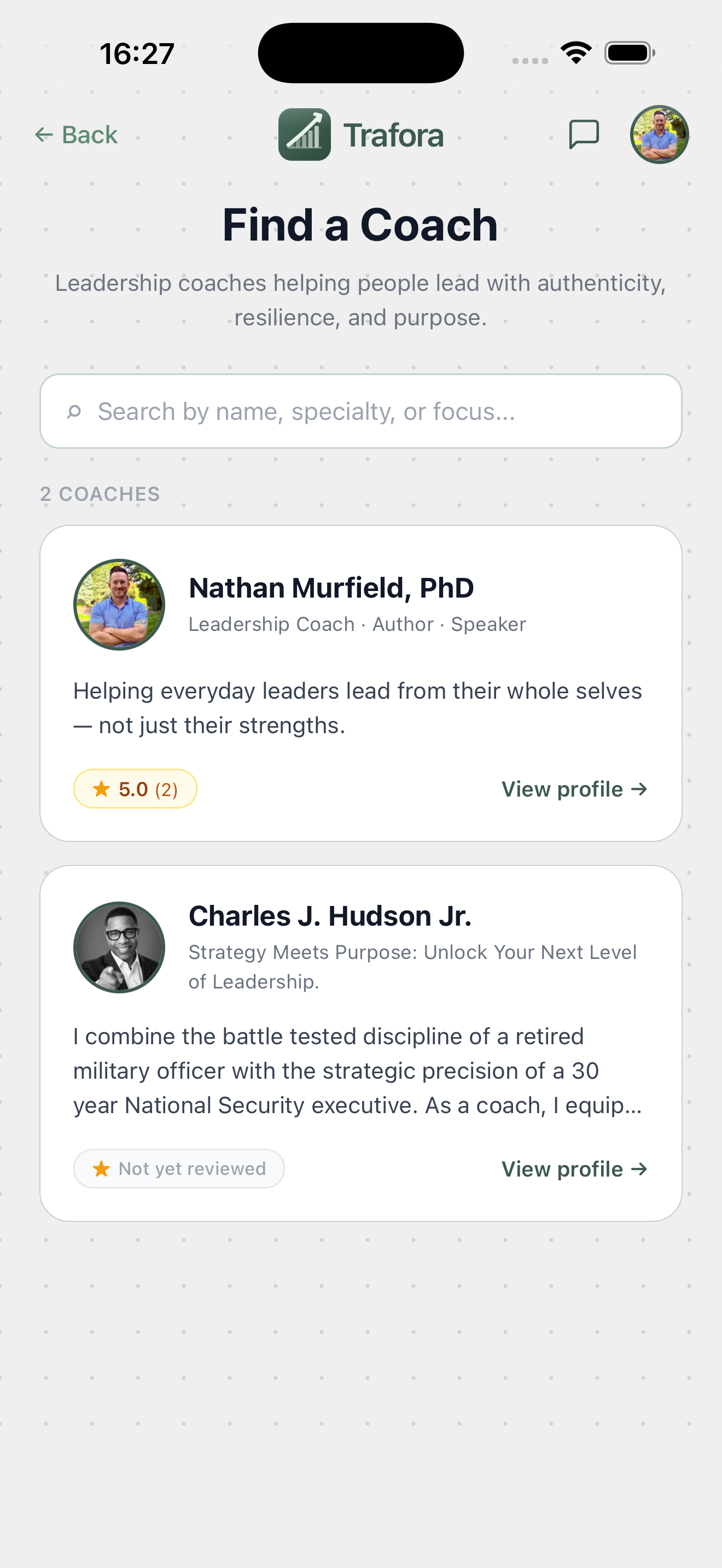
Take the leadership quiz.
Five questions. Two minutes. The assessment maps your answers across core leadership dimensions, surfaces where coaching could have the biggest impact, and points you to a coach who fits — before you've committed to a thing.
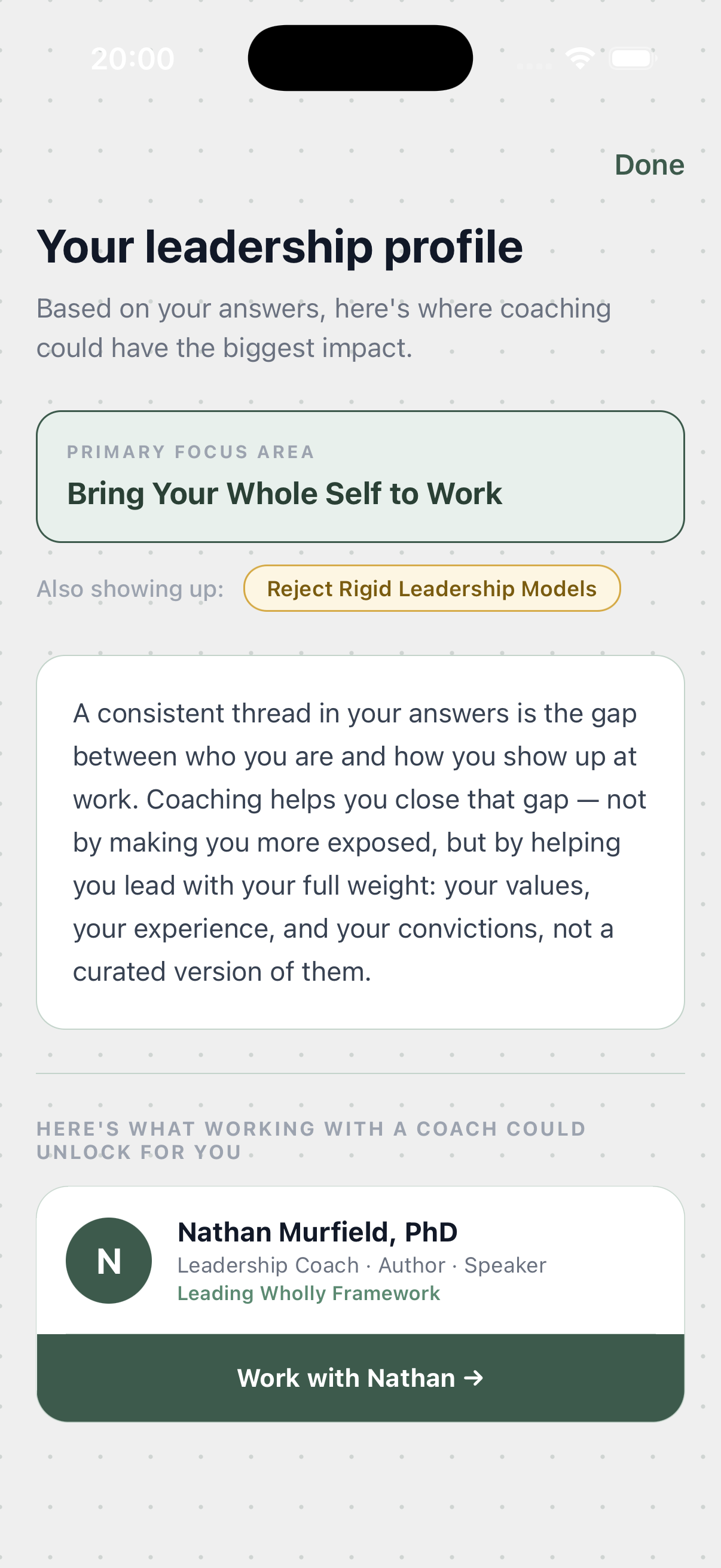
Find the right coach.
Browse the Trafora coach directory, read full profiles, and choose the coach whose experience and approach fits your goals. Every coach brings their own framework and is individually reviewed by the Trafora team.
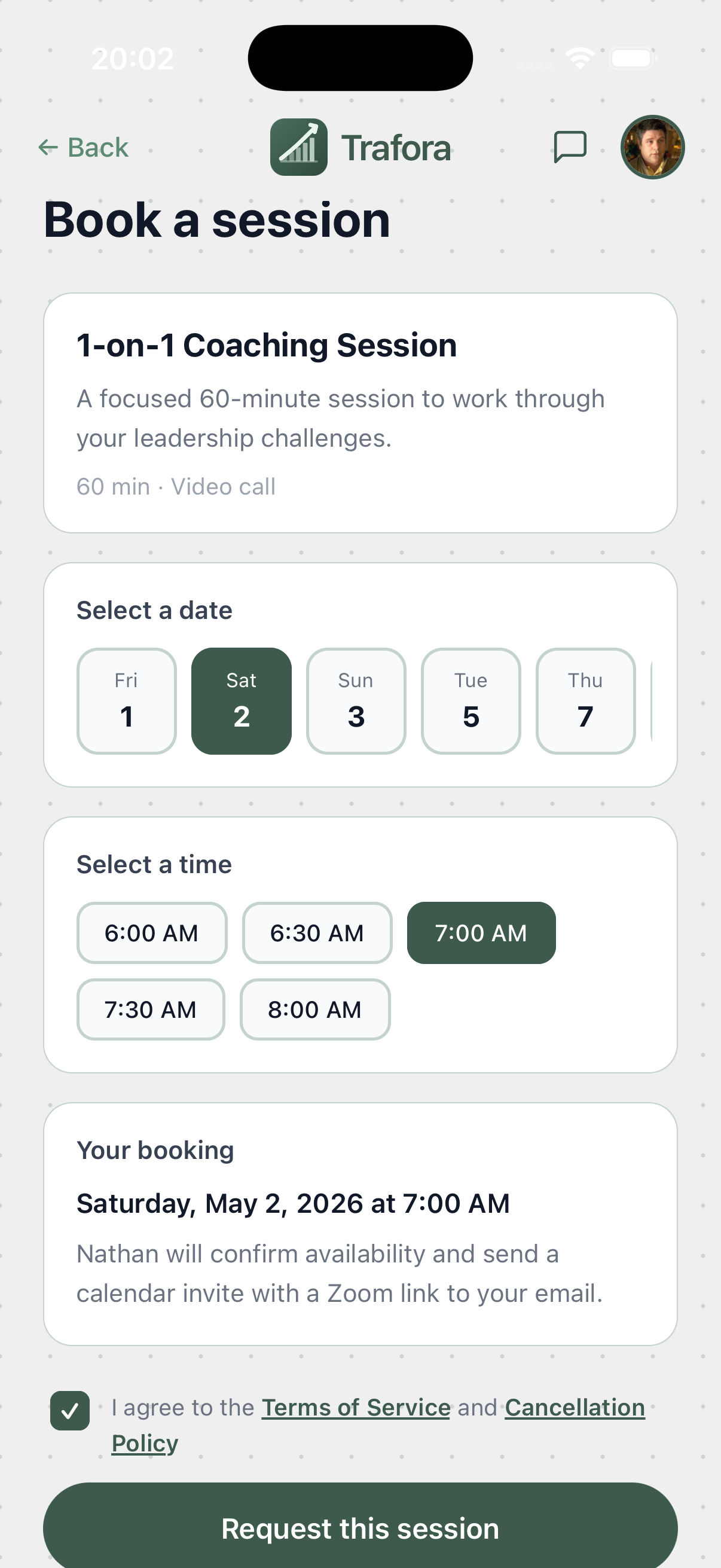
Book and pay in one flow.
Select a session type, pick a date and time from your coach's live availability, and complete secure payment — all without leaving the app. Your coach confirms, and a Zoom link lands in your email automatically.
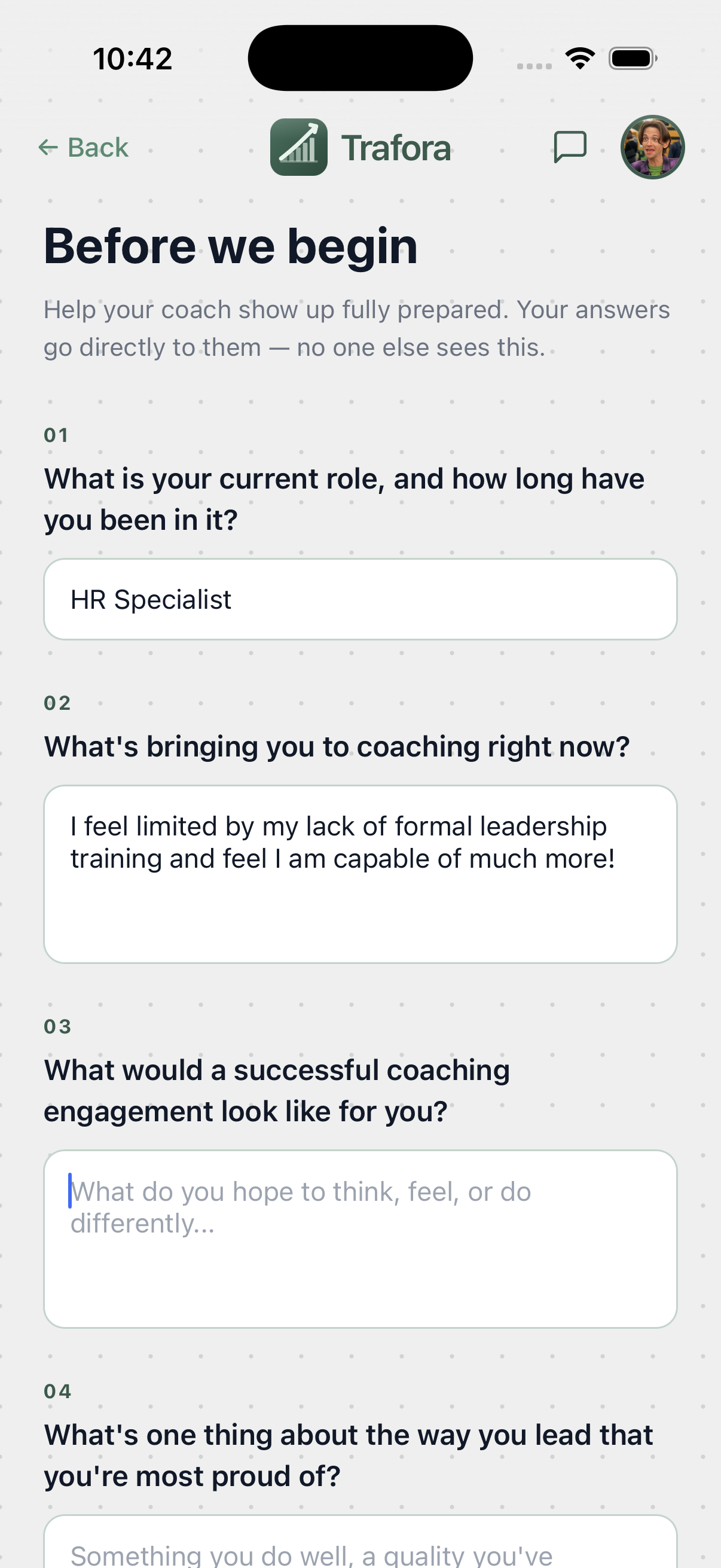
Help your coach show up fully prepared.
After your first booking, Trafora prompts you to complete a short client intake form. Your answers go directly to your coach — no one else sees them. This is what allows your coach to show up to the first session already knowing who you are and what you're working on.
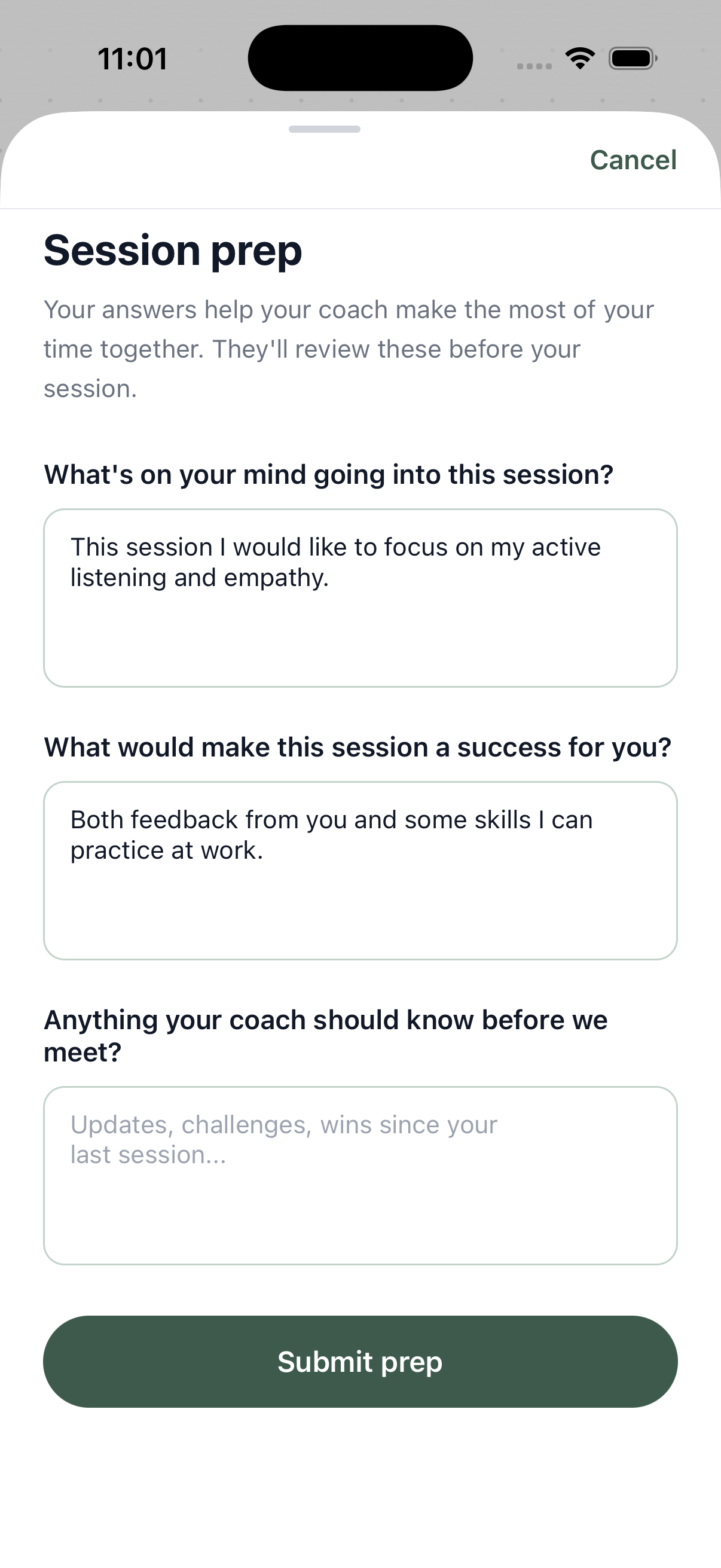
Three questions that change the first 60 seconds.
Before every session, Trafora prompts you to complete a quick prep form. Your coach reads your answers before joining the Zoom call. You arrive with an agenda. They arrive with context. The session starts at depth — not catching up.
Show up. Do the work.
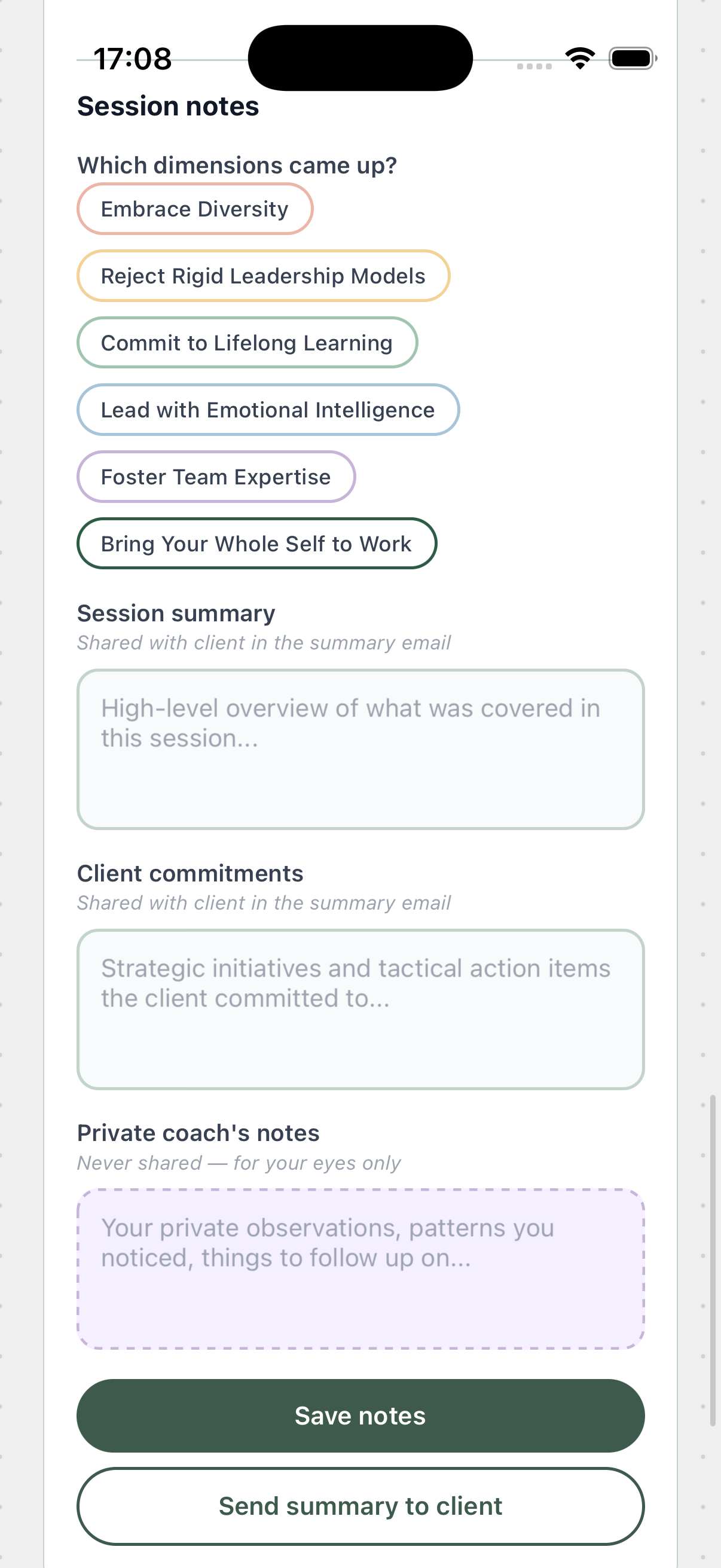
Sessions are delivered via Zoom — 60 minutes of focused, structured coaching with your chosen coach. After the session, your coach sends a summary with your key commitments directly to your email. Action items appear in your app automatically.
Share your experience.
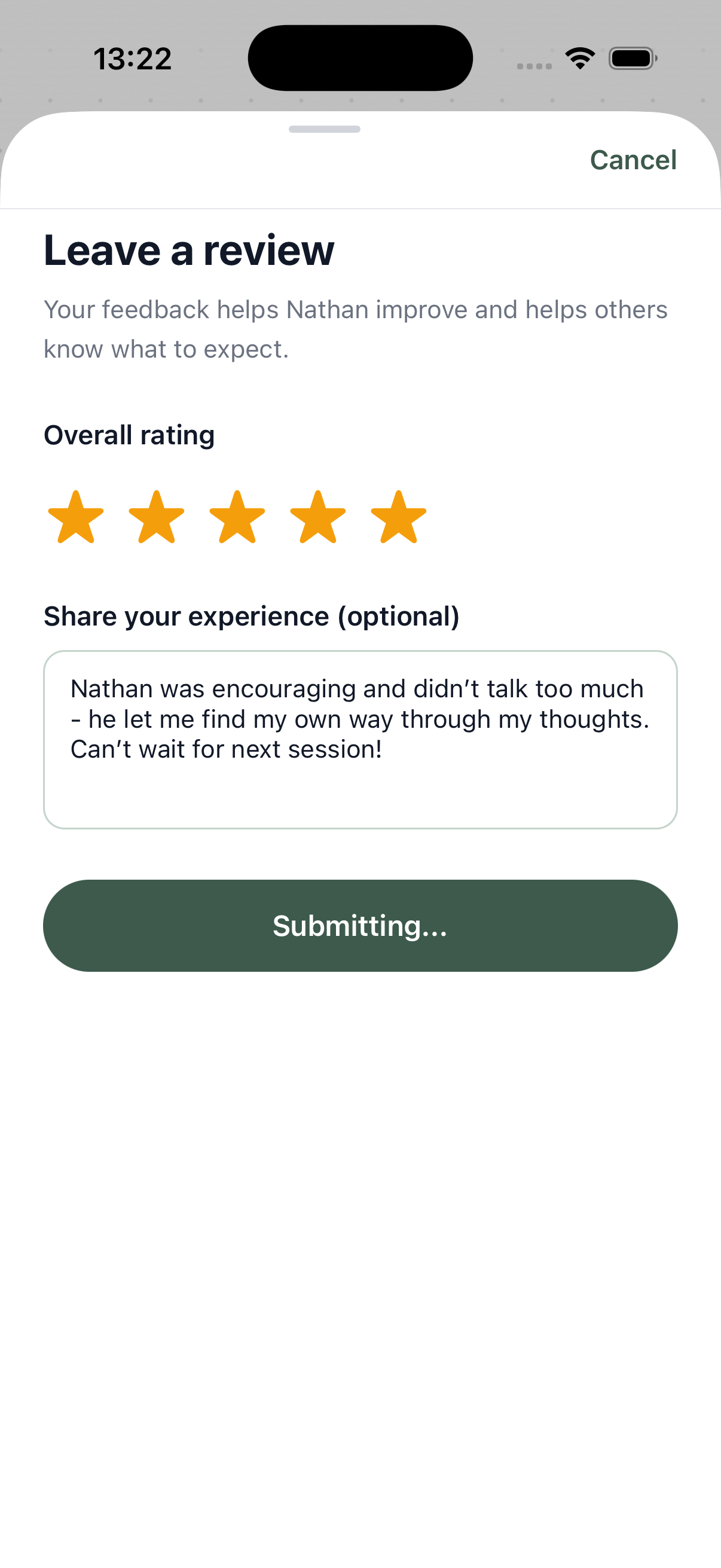
After a session, your coach may invite you to leave a review. It takes 60 seconds and helps other leaders find the right coach. Your coach decides which reviews appear on their public profile.
Grow every single day.
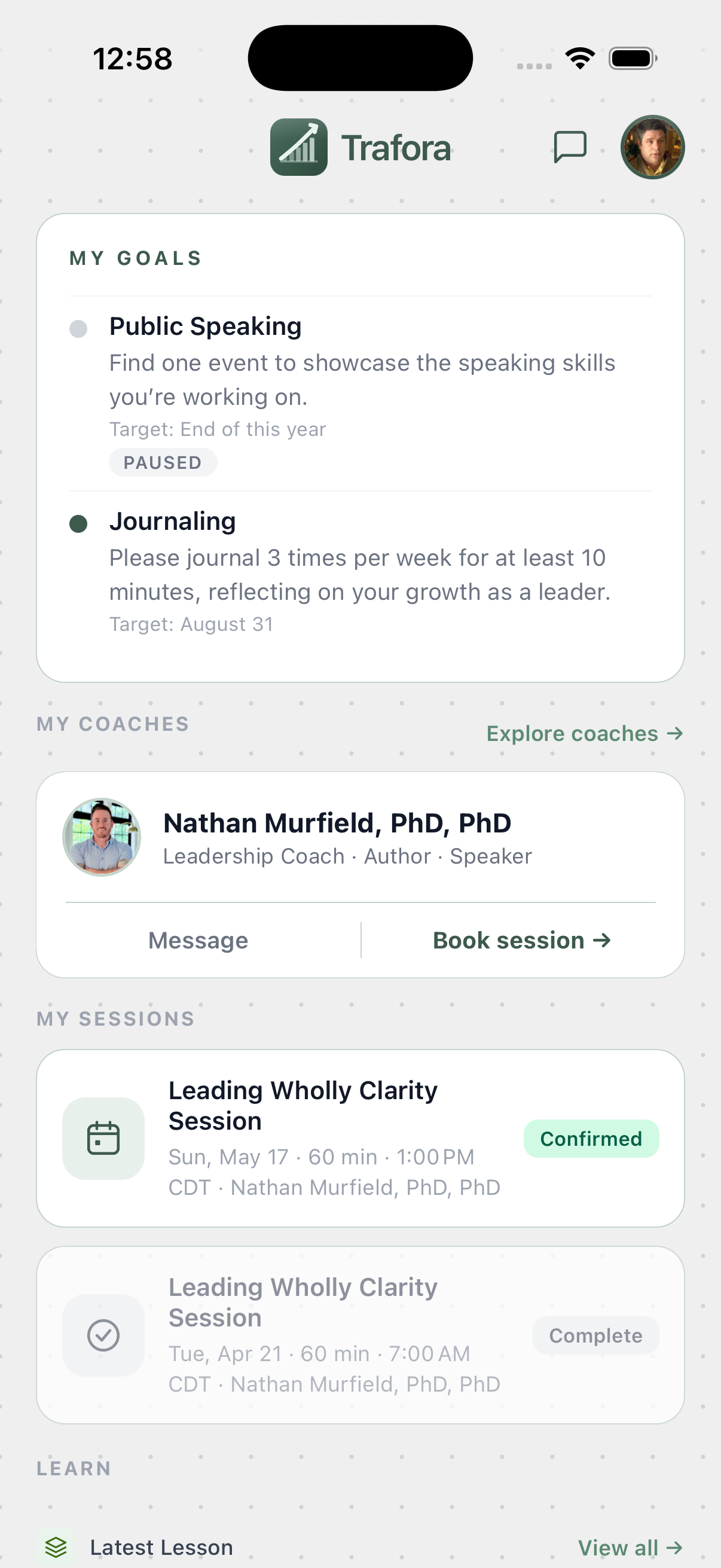
The work doesn't stop when the session ends. Trafora's daily content engine surfaces a new lesson, quote, or reflection every day. Track your goals, complete your action items, build your streak, and watch your progress report grow over time.
Are you a coach?
Here's how the platform works from your side.
From application to
thriving practice.
Trafora handles the infrastructure so you can focus entirely on coaching. Here's how it works from your side.
Apply to join.
Submit your application through trafora.com. Every application is reviewed individually — we're looking for coaches whose philosophy, credentials, and craft meet our bar, whatever framework they coach within. Most applications receive a response within a few business days.
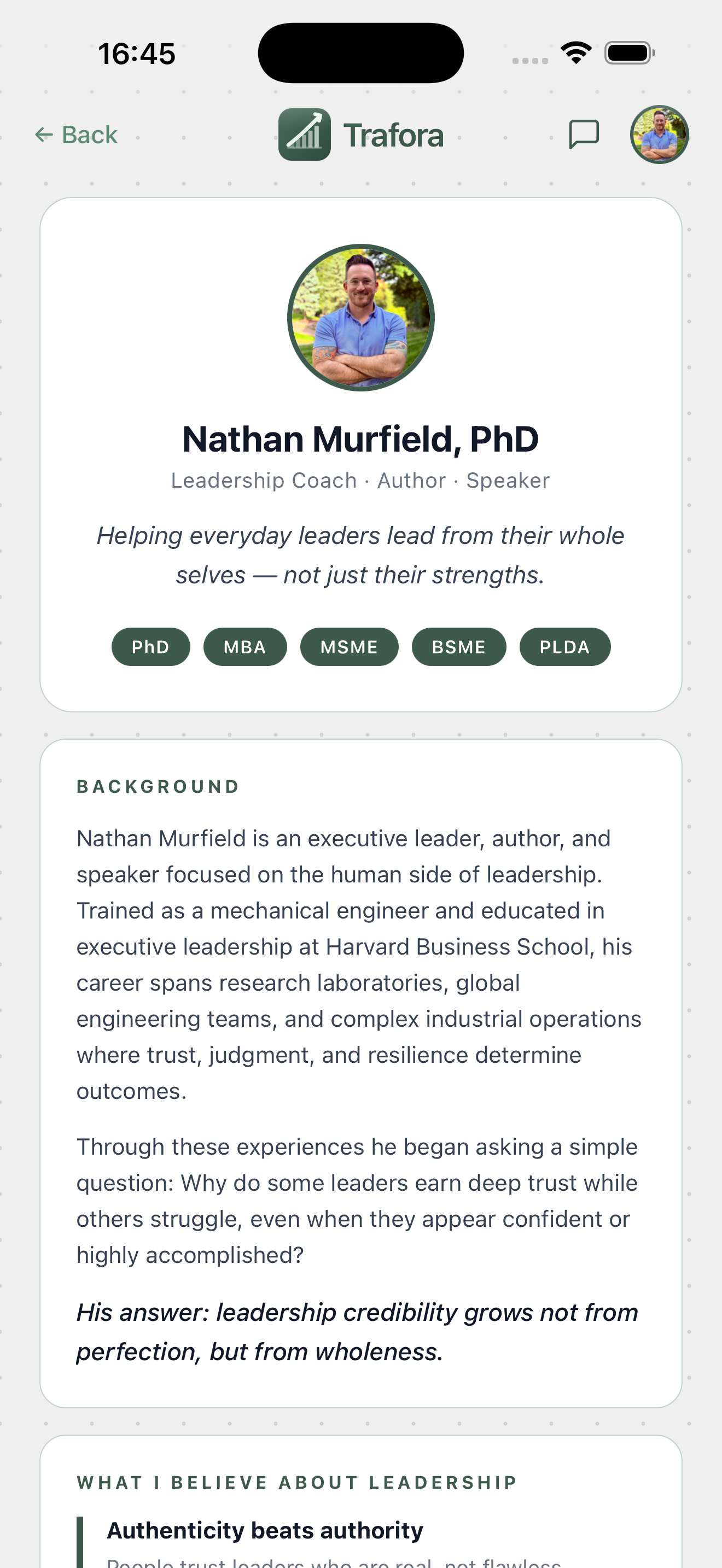
Set up your practice.
Once approved, build your coach profile, add your services and pricing, connect Stripe, and set your weekly availability. Everything is editable at any time. Setup takes about 15 minutes. Stripe verification typically takes 5–10 minutes.
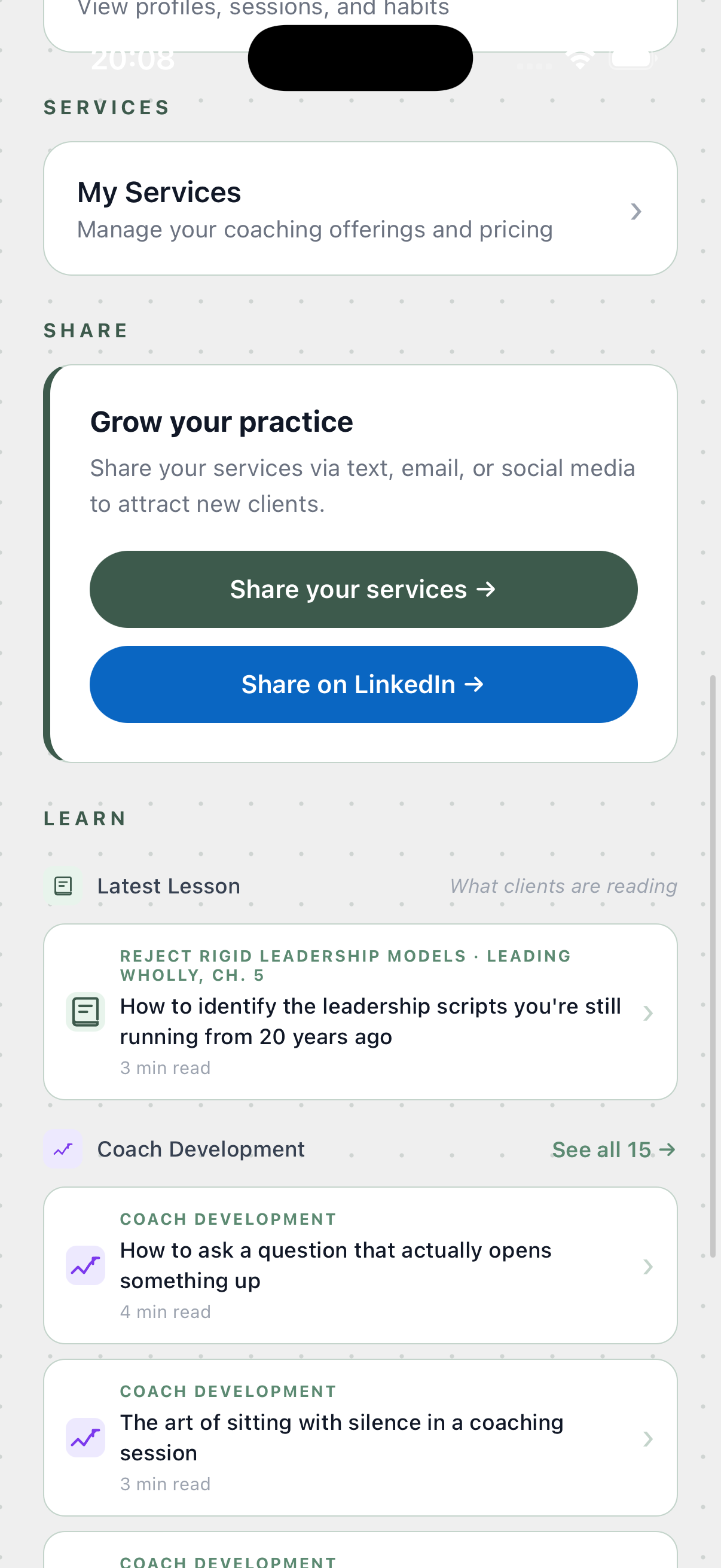
Clients find you.
Your profile is immediately searchable inside the Trafora app. Clients browse the directory, read your profile, and request a session directly. Before you confirm, you see their session details — and their client prep form answers, if they've submitted them.
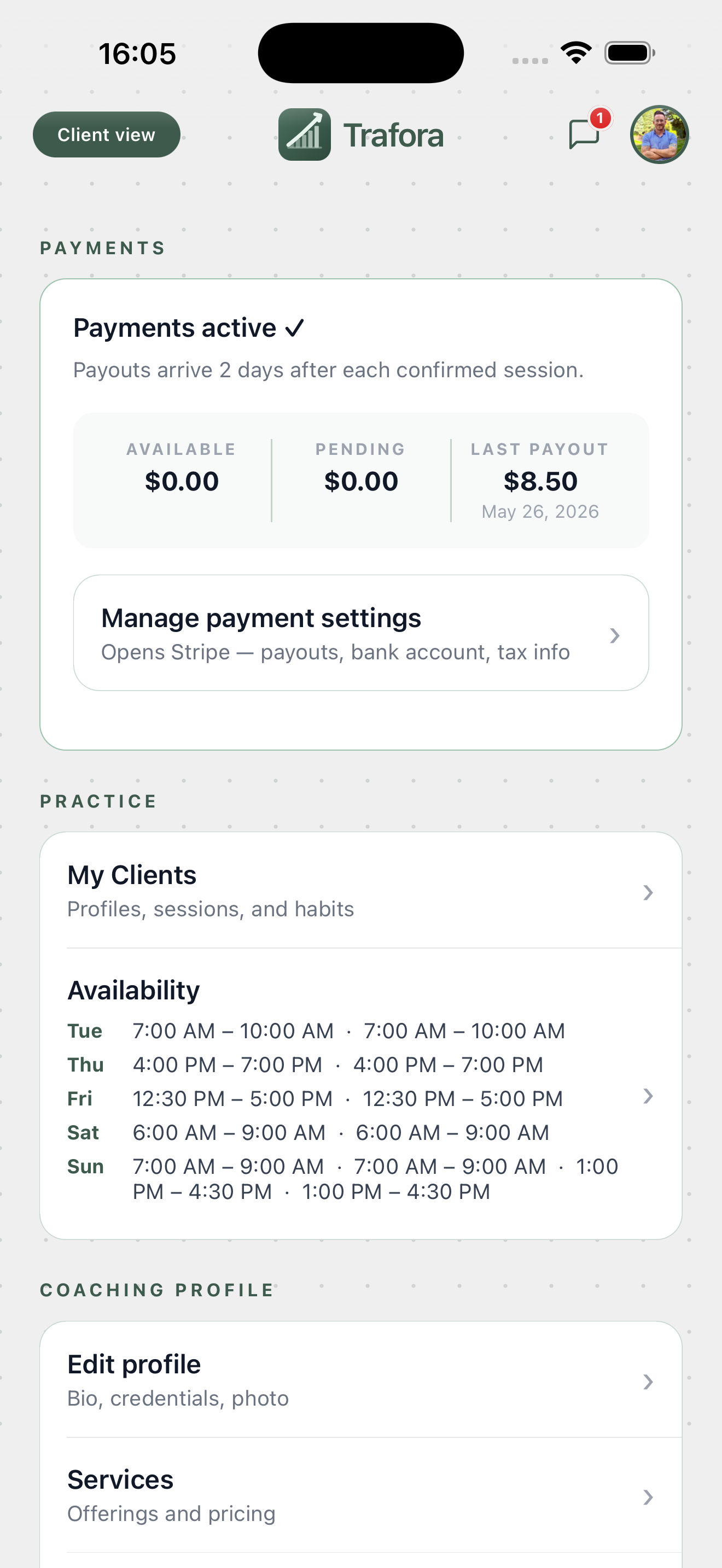
Arrive informed, not catching up.
Before every session, open the client's profile. You'll see their intake form answers (submitted before their first session), their session prep form (submitted before this one), their active goals, outstanding action items, and notes from previous sessions. You join the call with everything you need.
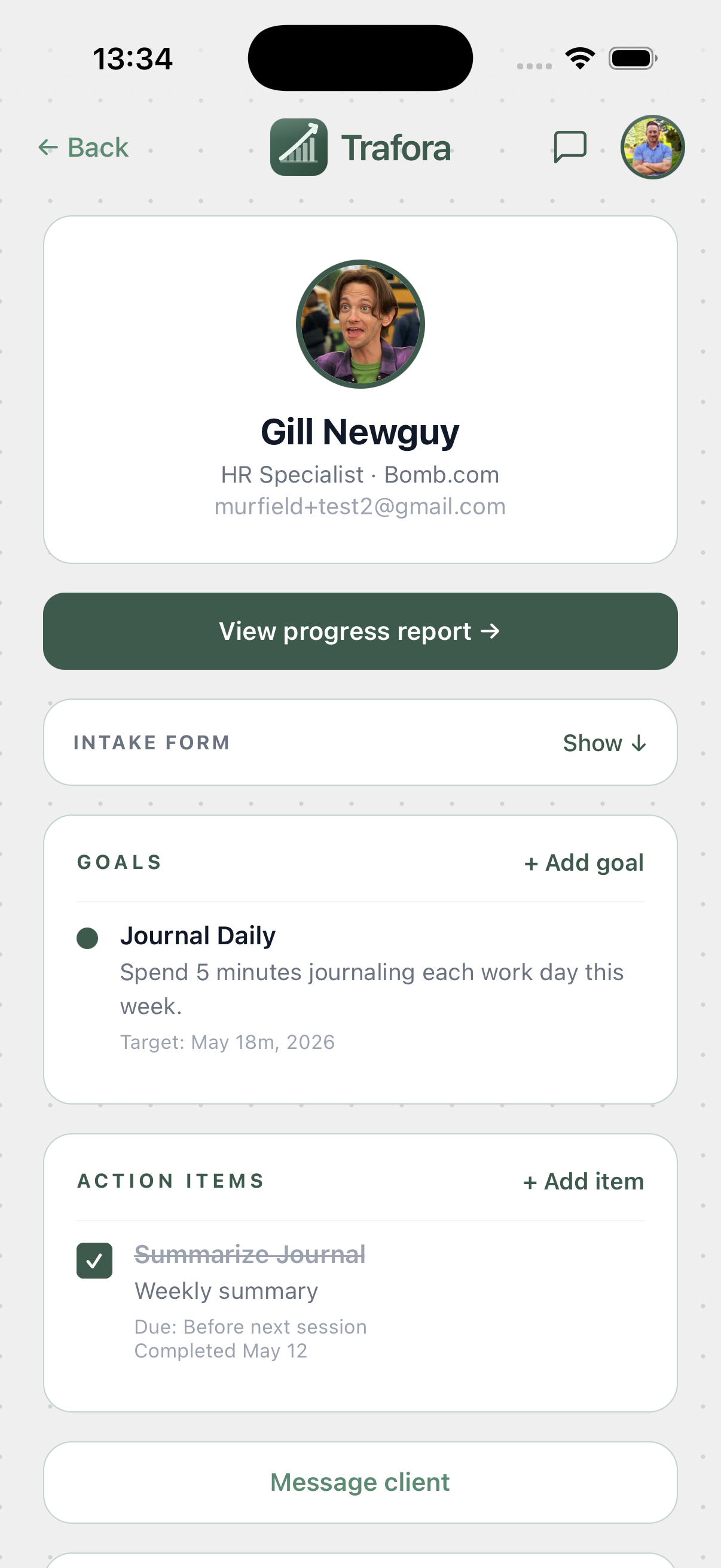
Deliver a great session.
Log it immediately after.
Run your session via Zoom. Afterwards, mark it complete and open the notes screen. Write your session summary, tag which dimensions came up, assign action items, add private coach notes, and paste the recording URL if relevant. Send the summary to your client with one tap.
Build your practice.
Keep 85%.
Track client progress reports, request reviews, customize your dimensions, and use the share tools to grow your roster. Trafora takes 15% — payouts arrive in your bank account 2 days after each confirmed session, automatically, with no invoicing required.
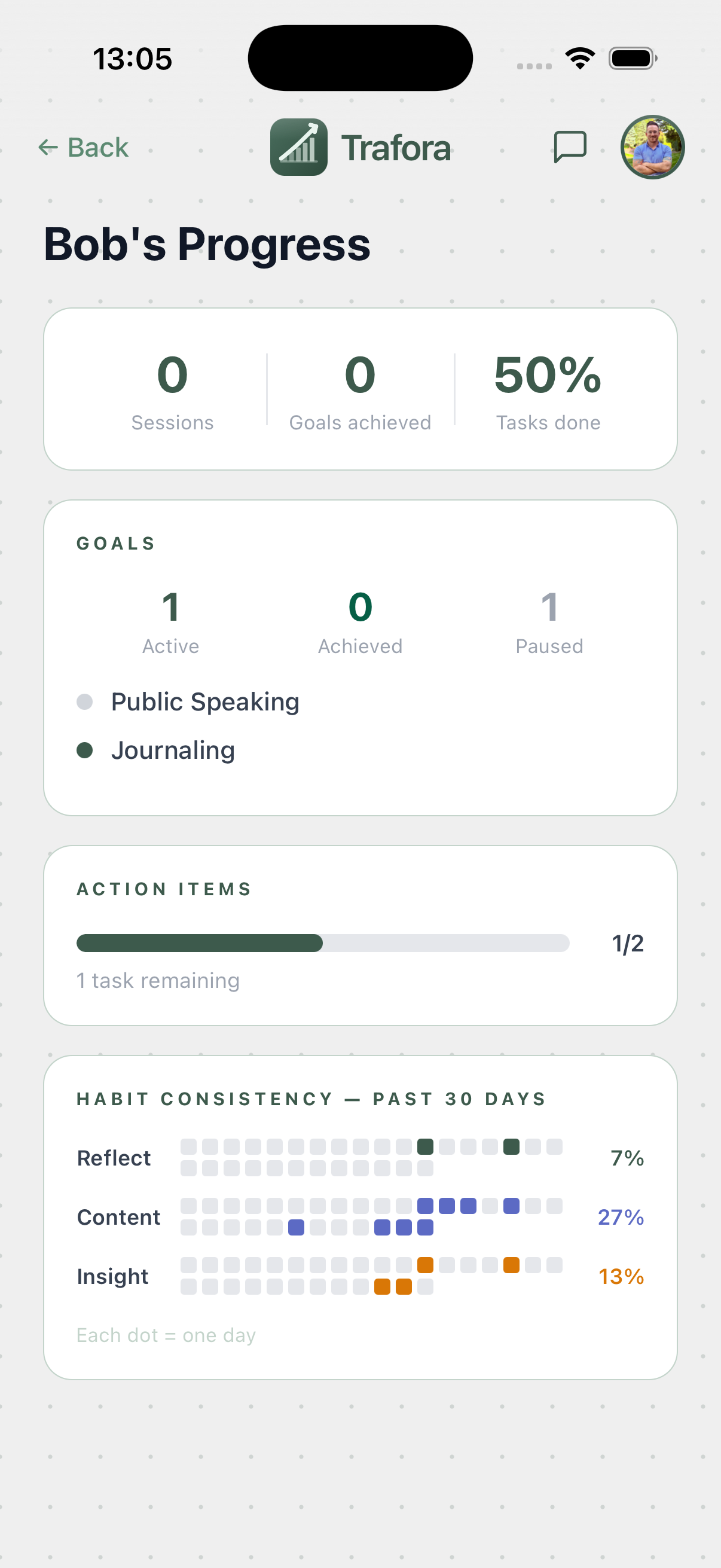
Built for both sides.
The right experience for each audience — mobile-first for clients, fully-featured for coaches managing their practice.
iOS Mobile App
Everything you need to find a coach, grow daily, track your progress, and stay connected to your coaching relationship — designed for on-the-go engagement.
iOS App + Web Portal
Full practice management — availability, bookings, clients, session notes, goals, reviews, and growth tools — from any device.
Ready to get started?
Download the app to browse coaches and book your first session — or apply to bring your coaching practice to Trafora.